Design available to download on Cults3d -Click Here
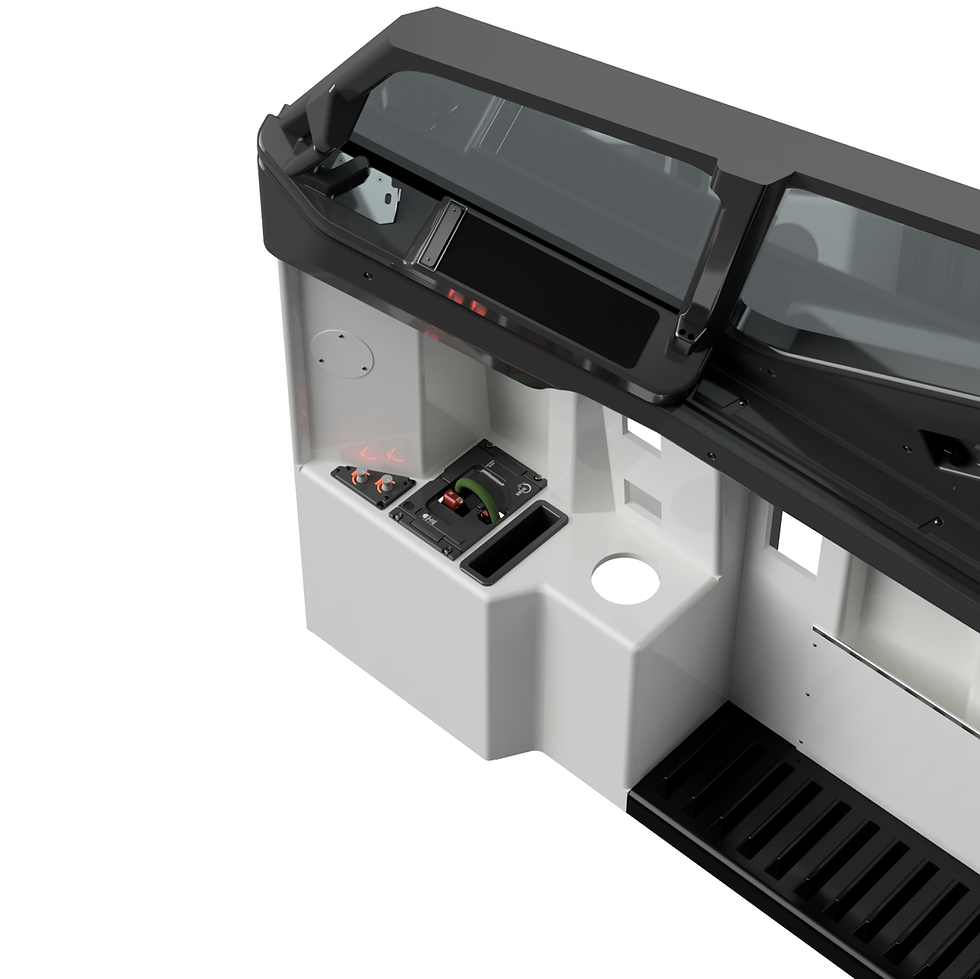
This design links to these glarewings
Original + MOD Versions Included
Bring true Boeing‑style annunciation and recall functionality to your home cockpit with this fully editable CAD design of the 737 Warning Panel, designed by 737DIYSIM for both the First Officer and Captain glarewing positions. Whether you're building a 737 using Cockpitsimparts lenses or the newer 737DIYSIM true‑to‑life captions, this pack contains everything you need.
Overview
This versatile CAD package delivers a fully functional, push‑button Master Caution / Fire Warning panel system faithful to the Boeing 737 layout. The design is ready for 3D printing or CNC machining, with all files structured for easy editing inside Fusion 360.
The panel includes a working recall/cancel button, support for 5 mm red/yellow LEDs, and a clean drop‑in fit for the 737DIYSIM Glarewings.
Two Complete Versions Included
Original Glarewing Warning Pack (Cockpitsimparts Version)
These files represent the first‑generation design, originally created for the 3D‑printed glarewings in the 737DIYSIM webshop. The glarewing was designed for a Cockpitsimparts customer and matched to their 6‑pack, Fire Warning, and Master Caution lenses, featuring 23 mm square annunciator buttons.
MOD Version (737DIYSIM Caption‑Compatible)
Since the release of our own true‑to‑life caption sets, we developed a dedicated MOD to accommodate the new lens dimensions. This update includes:
- Resized annunciator bodies
- Slim‑lined LH & RH back sections for V7 Glarewings
- Improved fit for modern caption sets sold in the 737DIYSIM store
➡️ Both versions are included in this download, so you can choose the one that best matches your cockpit and lens set.
Key Features
- Direct fit for 737DIYSIM glarewings (F/O & CPT)
- Editable Fusion 360 design – parametric, fully customizable
- Recall/Cancel push‑button using a standard 12 mm tactile switch
- Supports common 5 mm red & yellow LEDs
- STL exports are ready for 3D printing
- Includes templates for creating your own decals
- Compatible with Cockpitsimparts lenses and 737DIYSIM lenses
- Clean and documented component structure for easy remixing
What’s Included
CAD Files
- Fusion 360 master file (native and editable)
- STL exports for direct printing
- MOD version CAD for V7 Glarewings & 737DIYSIM caption sets
Decal & Lens Resources
- Decal template to create your own labels
- Fit‑ready apertures for both lens types
Electronics (DIY)
- Requires:
- 5 mm yellow & red LEDs
- 12 mm tactile pushbutton with round cap
- Hook‑up wire, resistors, heat‑shrink
All components are inexpensive and widely available online.
Compatibility
✔ 737DIYSIM Original Printed Glarewing
✔ Cockpitsimparts 23 mm lens sets
✔ 737DIYSIM True‑to‑Life Captions (via included MOD)
✔ V7 Glarewings (MOD version)
✔ Suitable for MSFS / P3D / X‑Plane cockpit builders
✔ Ideal for Mobiflight, Arduino‑based I/O, and similar systems
Build Documentation & Video
🎬 Build Video:
https://youtu.be/uB3LLZtjVX8
📝 MOD Information & Notes:
https://www.737diysim.com/post/glareshield-warning-pack-mod
🛒 Related Lens Sets:
- Newer 6‑Pack Captions: https://www.737diysim.com/product-page/737ss-6-packs
- Master Caution / Fire Warning / STAB OUT OF TRIM:
https://www.737diysim.com/product-page/737-master-caution-fire-warning-stab-out-of-trim-annunciators-lenses
Printing Recommendations
- Material: PLA or PETG
- Layer Height: 0.2 mm (0.12–0.16 mm for visible faces)
- Infill: 20–35%
- Supports: As needed, depending on chosen orientation
- Finishing: Sand + satin black paint for OEM look
Future Development
This pack is a temporary bridge until the release of V4 Warning Panels, which will include:
- Stronger tactile feedback
- More pronounced button travel
- Audible click mechanism
If you have accurate real‑world 737 6‑pack lens dimensions, please reach out; your input directly helps refine future versions.
Add to Cart
This comprehensive package gives you everything needed to integrate a professional‑looking, functional 737 warning system into your cockpit build.
Choose your lens type. Choose your build method. Choose your level of realism.
Ready to build?
👉 Download the 737 Warning Panel CAD Pack now.