Available to download on Cults3d - Click Here
Digital STL download — no CAD files included. No physical parts, electronics, or hardware supplied.
This listing offers a cost‑effective STL‑only version of the Boeing 737 EFIS V6 for builders who want the look, feel, and backlit aesthetics of the 737 EFIS without needing editable CAD files.
These STLs are ready to slice and print, making this version ideal for hobbyists on a budget or for those confident that their printer produces consistently dimensionally accurate results.
This is the same visual and mechanical design found in the full CAD package, refined over months with the 737DIYSIM community and tested on multiple printers.
What You Get (STL‑Only Package)
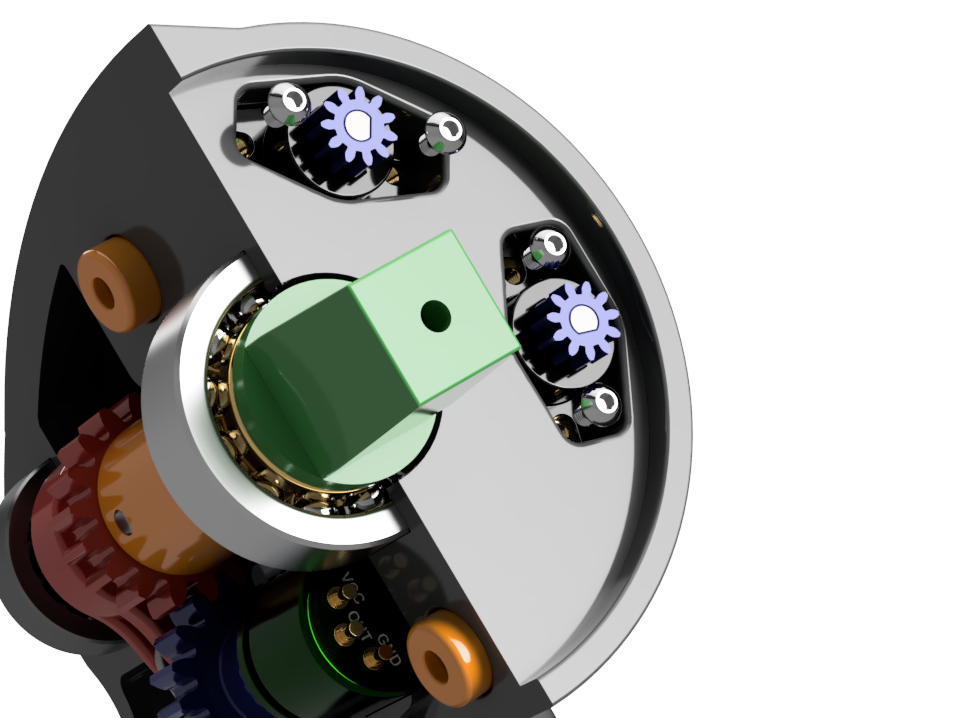
Complete STL set for printing the full Boeing 737 EFIS V6 unit Ready‑to‑slice models designed for FFF printers Includes all mechanical parts, knobs, housings, internal supports, and structure Laser DXF files are included for those who want to laser‑cut/engrave faceplates No CAD files included — fits can only be edited in a slicer
Key Features
Authentic Backlighting Designed for 12V LED strip lighting and tactile illuminated buttons to replicate the real EFIS glow. Note: LEDs illuminate text only — they do not indicate the system's functional status. Functional Control Layout
Both upper knobs feature dual‑axis operation All four knobs include a push‑button function Compact, realistic control set with impressive mechanical capability
Printable on Most Calibrated Machines
Modular design split into smaller parts for easier printing Gears and tolerances refined across multiple test builds Developed primarily on the Bambu X1 Shafts can be printed in resin (recommended) for increased strength
Why Choose the STL‑Only Version?
Cheapest way to build the EFIS V6 Perfect for those who want to “print and go” No need for Fusion 360 or CAD adjustments Great entry point for home cockpit builders with budget constraints
If you need editable surfaces, press‑fit adjustments (shaft/spline/gears), or want to optimise the build for your exact printer, consider upgrading to the full CAD package.
Recommended Optional Upgrades For a professional appearance and perfect backlighting: Laser‑Etched Faceplates & Buttons https://www.737diysim.com/product-page/efis-v6-laser-etched-faceplates These are completely optional — the EFIS can be built purely from 3D‑printed parts.
Limitations of the STL‑Only Version Please read carefully:
No CAD files included — all models are “as‑is” Fit adjustments cannot be edited Your printer must be well‑calibrated for tolerances to work correctly Backlighting is purely cosmetic (no functional indicators) No electronics, switches, encoders, or LED strips included Some sanding/finishing may be required, depending on your machine/materials
3D printing settings
Materials & Print Recommendations
PLA or PETG for body/panel parts Resin (tough engineering resin recommended) for shafts and small mechanical parts 0.12–0.20mm layer height for crisp text and panel edges Dry‑fit gears and shafts prior to gluing Add light‑blocking paint where necessary for clean backlighting
Build Guide Full guide available here: https://www.737diysim.com/build-guides-1
Categories