3D model description
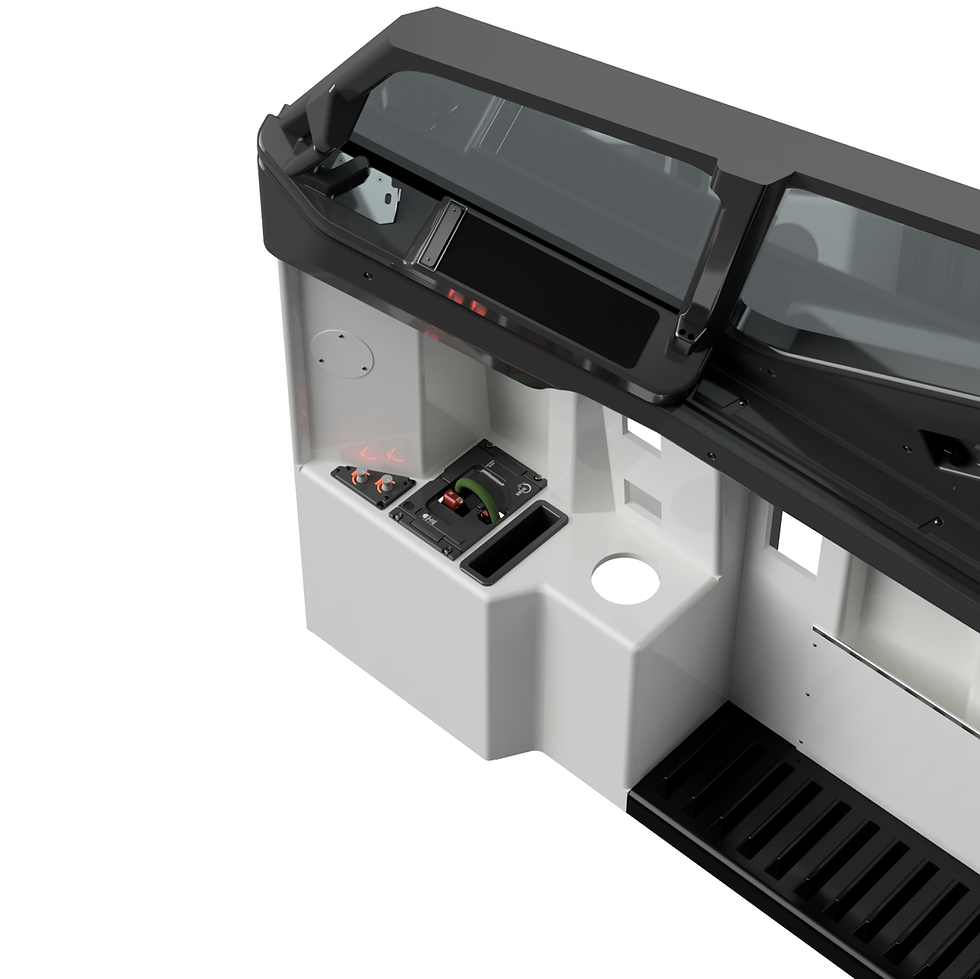
Build the next generation of the 737‑style Cargo Panel for your home cockpit.
This download includes the complete STL print set and editable CAD so you can fine‑tune tolerances or rework the design to match your rig. Use it as‑is, or treat it as a solid base to create your own variant of the panel. Please note that if this panel is £d printed, the backlighting will be inoperable.
What it’s for
Designed for B737‑style simulators, this panel integrates cleanly into a desktop test setup or mounts directly to the pedestal in your cockpit build. It uses three 389‑type Korry‑style indicators and one 318‑type Korry‑style indicator; translucent green ABS LED covers are included to achieve that authentic look when you add your own electronics.
What’s included (download)
Knobs (flight‑sim friendly geometry for confident grip)
DZUS fasteners (printable facsimiles for realistic mounting aesthetics)
Dual‑colour Korry‑style unit (389‑type)
318‑type Korry‑style unit
Faceplate & backplate with engraved/embossed legends
Backbox – side‑opening (service from the side)
Backbox – rear‑opening (service from the rear)
RJ45 adapter box (quick harnessing using standard Ethernet connectors)
Two back shells for a desktop configuration; otherwise, the panel mounts directly to the pedestal
Editable CAD (parameterised to let you tighten/loosen fits or completely overhaul to your requirements)
Note on backlighting: The 3D‑printed pack is not backlit out of the box. You can upgrade with physical parts later if you wish—see the optional hardware available here: https://www.737diysim.com/product-page/737-cargo-panel.
Why this design is original & essential
Next‑gen refinement: This is the new iteration of my cargo panel, redesigned for cleaner assembly, better wire‑routing options (choose side‑ or rear‑opening backbox), and easier serviceability.
Editable at its core: Unlike fixed STLs, you get CAD you can actually modify—dial in press‑fits for your printer, adapt hole patterns, or re‑skin the legends to match your sim stack.
Realistic control layout: Correct 318/389 mix of Korry‑style indicators and RJ45 breakout make it straightforward to wire to your chosen I/O.
Builder‑friendly details: Included DZUS facsimiles, modular shells for desktop testing, and a pedestal mount path when you’re ready to install.
Context of use
Desktop prototyping: Use the supplied dual back shells to test electronics and software on the bench.
Pedestal integration: When your wiring is proven, move the assembly into the pedestal; the faceplate/backplate stack and DZUS facsimiles give a tidy, “finished” look.
Learning & iteration: Because the CAD is editable, it’s ideal if you want to learn, tweak, or localise parts (e.g., different fasteners, wiring standards, or panel legend styles).Limitations & important notes
Backlighting: Not functional in the pure 3D‑printed version. Optional upgrade parts are available later via the shop link above.
Hardware & electronics: Not included—you will need your own LEDs, switches, drivers, wiring, and controller.
Fit & tolerance: Every printer and filament behaves differently—use the included CAD to adjust tolerances if parts are too tight/loose.
Sim purpose only: Not affiliated with or endorsed by Boeing/Korry; for home simulation use, not for real aviation.
File formats
STL for immediate printing
Editable CAD for modification (parameterised; adjust tolerances or redesign features)
3D printing settings
Build/Print/Parts Guide:
https://www.737diysim.com/build-guides-1/737-cargo-panel
Suggested print & assembly notes (guidance)
Materials: PLA+ for quick fit‑checks; PETG or ABS for functional parts. Use translucent green ABS (or PETG) for the LED covers.
Layer heights: 0.12–0.20 mm for faceplates/legends; 0.20–0.28 mm for structural parts.
Infill: 20–35% gyroid/cubic for boxes; 100% for LEDs/caps if you want crisp diffusion control.
Threads/Inserts: Brass heat‑set inserts recommended for repeatable servicing; tune hole clearances via CAD if your printer runs tight/loose.
Electronics: Designed to accept common Korry‑style indicator builds and RJ45 patching; choose your own LEDs, resistors, drivers, and controller board to suit your setup.(These are starting points—please adapt to your printer, filament, and fitting preferences.)